
Diagrams in answers
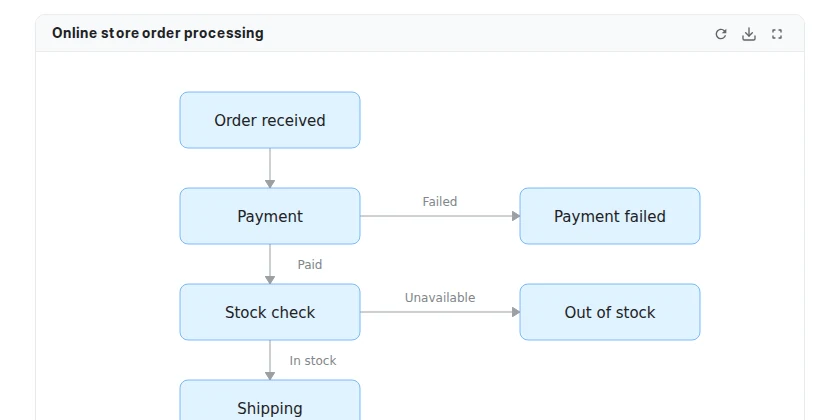
Ask about a flow or a structure and the AI draws a diagram right in its answer. Zoom in and out of large diagrams and save them as SVG or PNG. If a diagram looks broken, select "Redraw with Mermaid".
Resources
We tell you about new features and changes by version.
No updates for this audience.
Ask about a flow or a structure and the AI draws a diagram right in its answer. Zoom in and out of large diagrams and save them as SVG or PNG. If a diagram looks broken, select "Redraw with Mermaid".
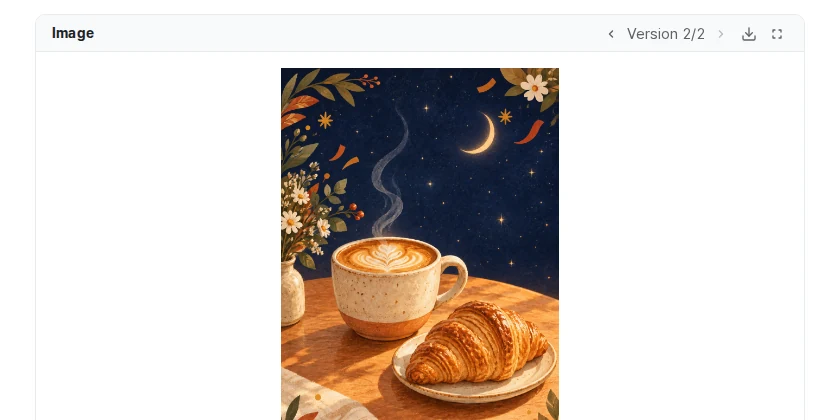
Ask in a chat for a photo, an illustration or a poster, or ask to edit an image you attached or created, and the AI draws it with the image model and shows it in its answer. Edited images appear as versions on the same card, and the original is kept.
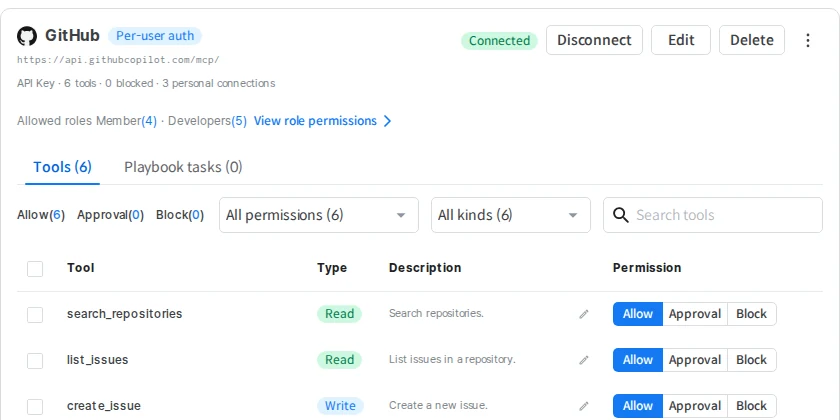
On the Connectors screen, see the connectors you can use and Connect or Disconnect them yourself. Tools you approved with "Always allow" in a chat can be removed in the Auto-approve tab. My Tools in Settings has moved to this screen.
Other changes
The AI transcribes audio and video files you attach in a chat and answers from what was said. Voice input stops on its own at the maximum recording length and transcribes what was recorded so far.
The API Key tab in model management is now the Providers tab, where you register shared keys per provider. Register the web search (Tavily) key here too.
The Tool permissions tab in role details is now Connector permissions, where you set only which connectors each role can use. Old per-role tool rules removed by the upgrade are recorded in the activity log as "Role permission rule removed by upgrade".
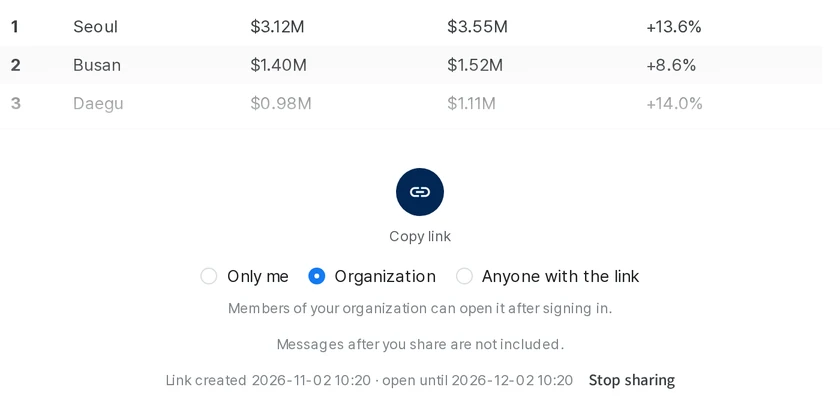
In the share window, choose who can open each link: Only me, Organization, or Anyone with the link. If you open an Organization or Only me link without signing in, you continue to that conversation after you sign in. Messages after you share are not included in the link.
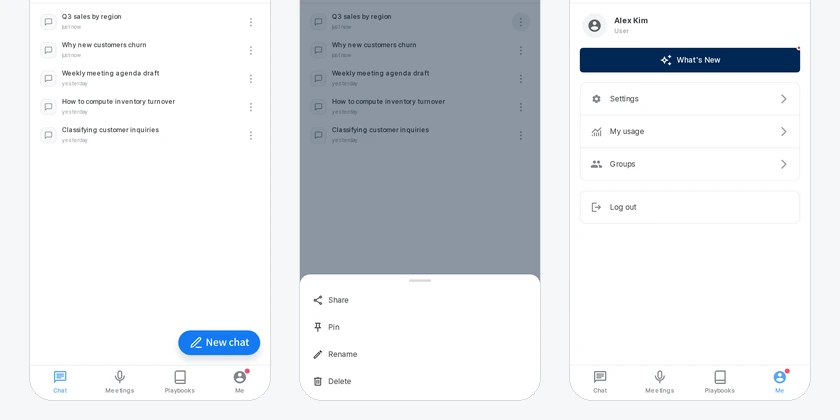
On a phone, you move around with the Chat, Meetings, Playbooks and Me tabs at the bottom of the screen instead of opening the menu. Confirmation and input windows and selection lists slide up from the bottom of the screen.
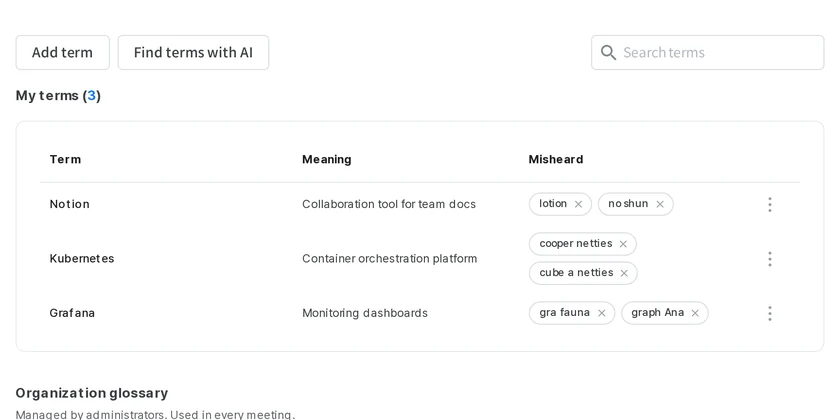
Collect names and terms that are often misrecognized in your glossary, and meeting minutes and section summaries use your spelling. You can also select a misrecognized word on the meeting screen and add it right away.
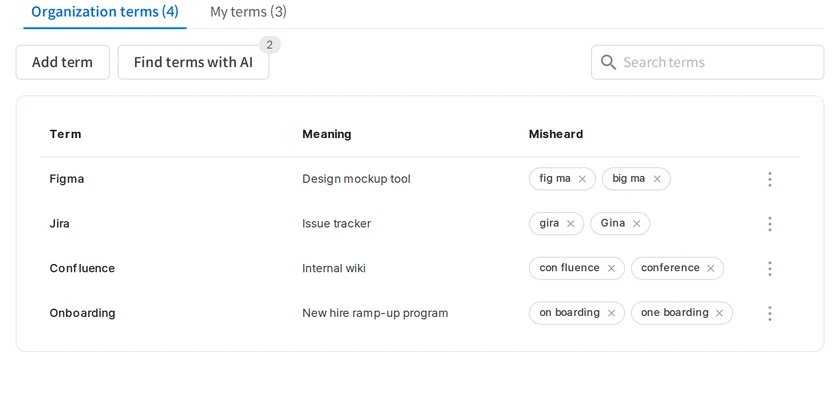
Admins manage the terms used across the organization in one place. "Find terms with AI" suggests candidates from document collections and database analysis results, and only the ones you review and pick are added.
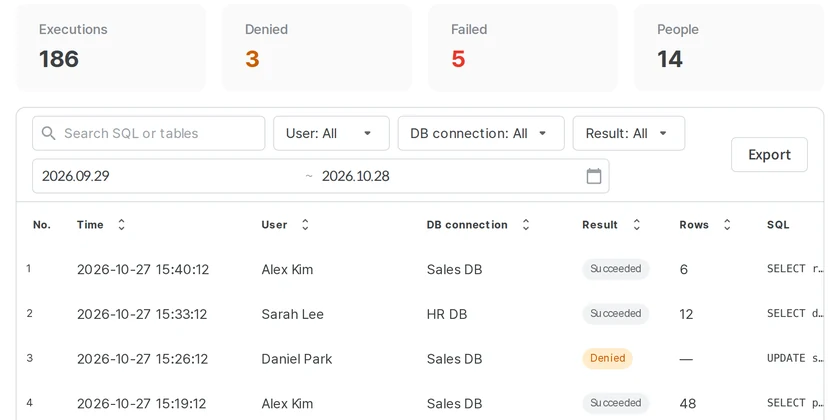
Instead of the conversation list, the activity log shows each executed SQL statement as one row that you can filter by user, database connection, or result and export.
Other changes
App icons and the logo across the app now use the new OwlAI logo.
Fixed parts of a meeting going untranscribed, and recording silently stopping after sleep while still showing as recording.
Expand a row in the update history to see how long each step took and how to roll back, and the confirmation dialog shows the impact while each version is applied.
Admin and system events show people and organization names instead of internal IDs, and search covers the whole retention period.
Total cost lets you choose a period of up to 90 days.
Amazon RDS connection separates what you need to do from what is still in progress, and resumes an in-progress connection when you come back to the connections tab.
What changed in this update
Dates in usage, activity, feedback and conversation records, and playbook schedules, now use the time zone of the browser you are signed in from. Only license periods are shown as UTC dates.
Chat, analysis, meeting summaries and playbooks now use a medium reasoning effort by default, and supported models answer on the fast processing tier, so you wait less.
When the desktop or mobile app receives new screens, it switches to them the next time you move to another screen — no “Update now” button needed.
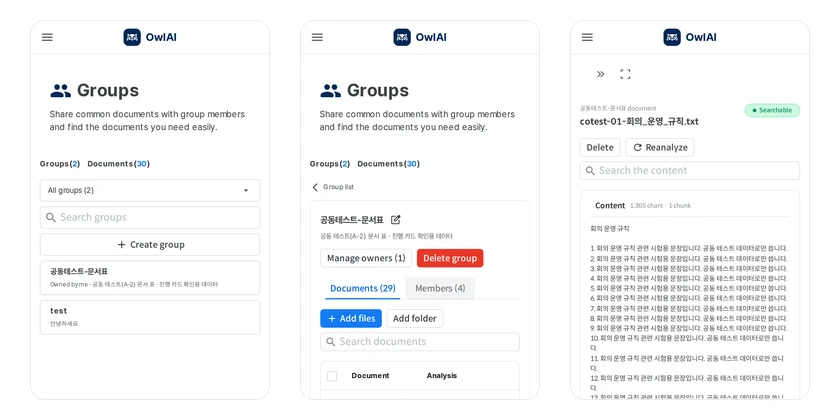
On narrow screens, the group list and group details are shown one screen at a time. Tap a group to open its details and tap “Group list” to go back. The document view now also shows the document size.
Other changes
My usage now notes that tokens used with in-house models do not count toward your usage limit.
SQL the AI ran (including the statement), documents it opened and external tools it called are kept in the activity log — even after the conversation is deleted.
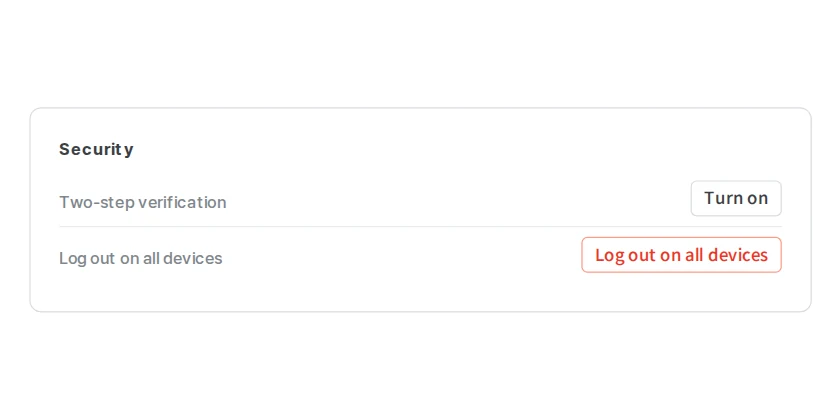
Turn it on in Settings › General › Security and scan the QR code with an authenticator app, and logging in also asks for the app's 6-digit code. Turning it on logs out your other devices, and if you lose the app, "Can't verify?" on the login screen shows how to get back in. You're also told when few recovery codes remain.
Other changes
Ask in chat how to use OwlAI and it answers from the built-in manual, as do deep research and meeting summaries.
On first launch, check the server address and press Connect. Change it later with "Change server address" on the login screen; apps already in use keep their server.
Update appears only when a new version is out, and offline sites upload a single update file. The confirmation rechecks your password, and System status shows the running version and commit.
OwlAI SaaS is now available through AWS Marketplace at owlai.cloud. Your on-premises OwlAI stays as it is and keeps getting updates.